Pages you can
structure your way
A page tree, content types and custom fields. Articles and news with publication controls.
 Getting started
CMS for your own infrastructure
Manage content, add modules and grow your websites on your own hosting. Your code, database and media stay with you.
In development · architecture MVP
PHP and Twig. Choose MySQL or PostgreSQL for your database.



01 — Features
Dedicated tools for content, access and extensions. One administration panel to manage them.
A page tree, content types and custom fields. Articles and news with publication controls.
Prices, stock levels, photos and a file manager. Image processing and thumbnail generation.
Control access to modules and individual actions. Separate website data and restore deleted items from the trash.
Page views, traffic sources, UTM campaigns and goals. Reports for each website without requiring external analytics.
SEO, email and media in site settings. Phone numbers, business details and shared blocks in configuration. Custom fields in dictionaries.
Backups, license management and update checks have dedicated tools in the administration panel.
Assign themes to individual websites and keep their data separate. Multisite availability and limits depend on your license.
02 — Architecture
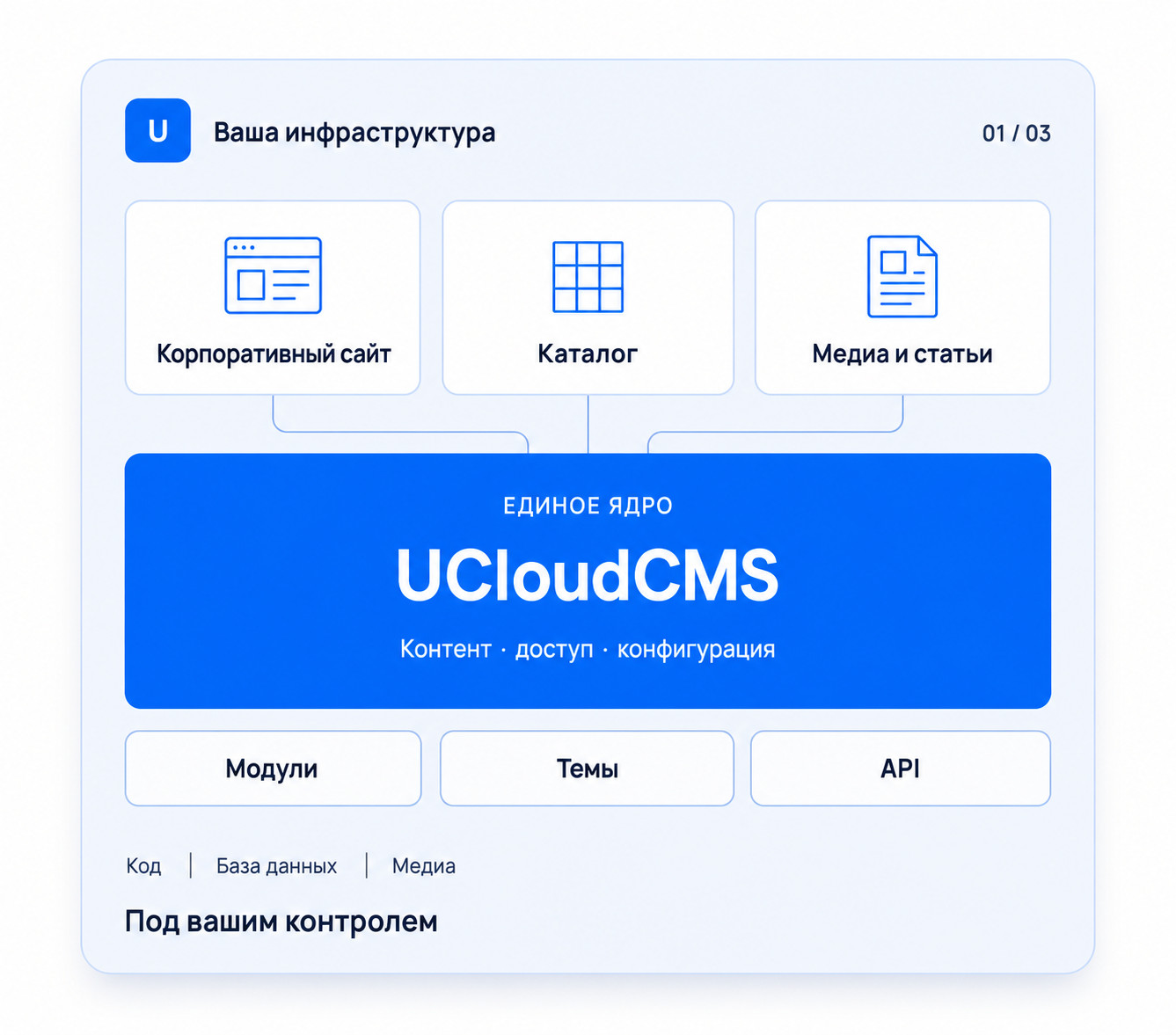
The core, modules and themes are separate packages. Presentation is separate from data, and each package has its own version.
Installation requirementsAdd functionality through extension packages with declared dependencies.
Twig templates receive prepared data through API connectors, without direct SQL access.
Ed25519 signatures, package compatibility checks and a backup snapshot before changing versions.
03 — Licensing
UCloudCMS is distributed under a commercial license. Your website files and data reside on the infrastructure you choose.
Activate with an issued key and verify the license's digital signature.
Your license defines the edition, features and limits.
Hosting and server administration are arranged separately.
Before installation
The project is in development. Agree on the edition, license terms and required modules before deployment.
Questions and answers
This version of UCloudCMS is designed to run on the owner's infrastructure. You choose the server and keep your code, database and media there.
Yes, if your license includes multisite support. The license specifies the number of websites and other limits.
Extensions and themes are packaged separately. They declare compatibility with the core and connect through defined contracts.
The system checks the release signature and compatibility. It takes a snapshot of files and the database before making changes, with rollback to that snapshot if an error occurs.